
Descript vs Riverside in 2026: Which Tool Fits Your Show
Riverside records remote guests in high quality, Descript edits by transcript, and the right buy depends on whether recording or editing costs you more time each week.
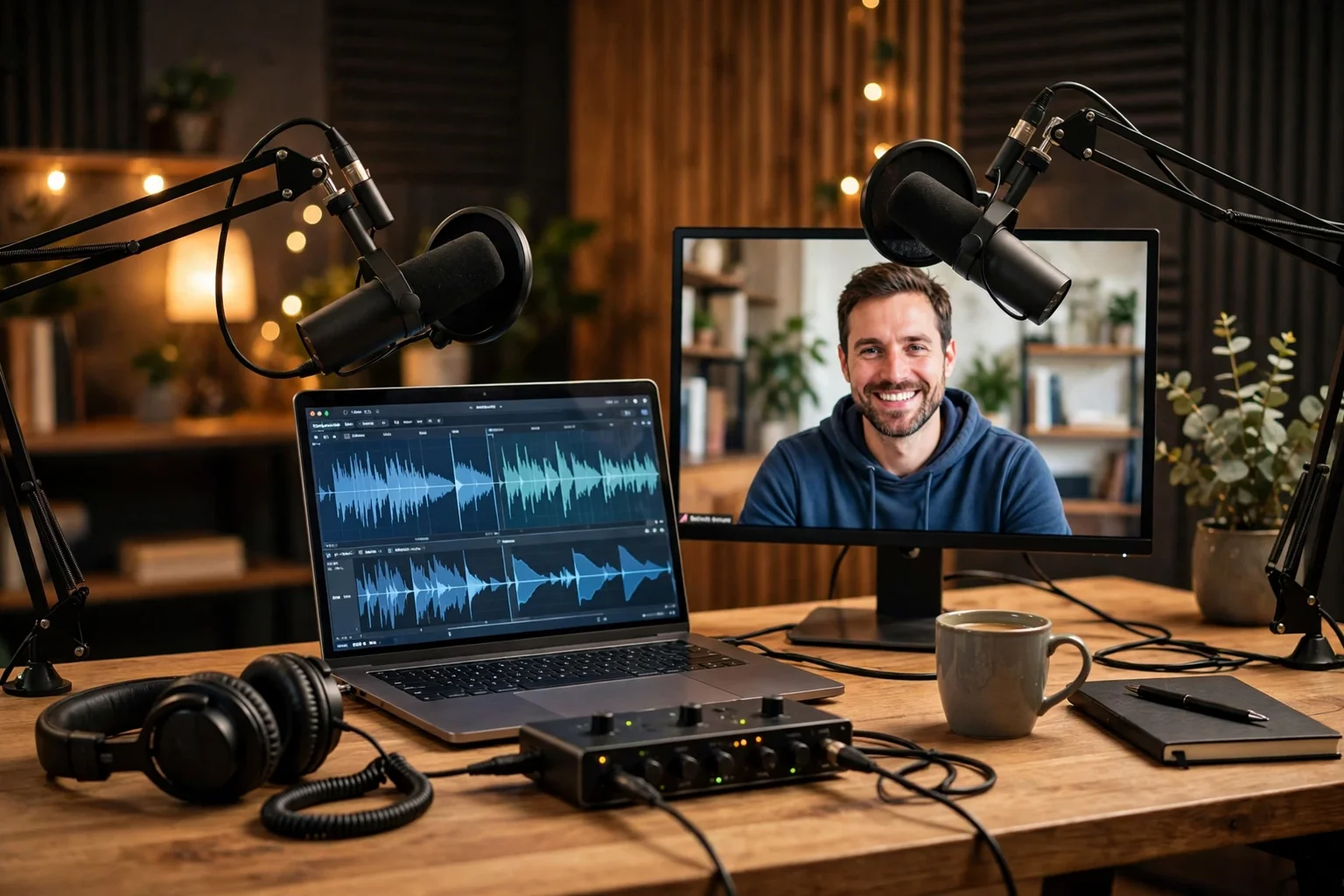
If you record a podcast or a video show with guests in different places, start with Riverside. If you spend most of your time cutting, cleaning, and reshaping recordings you already have, start with Descript. That split is the whole comparison in one sentence, and it explains why so many creators end up using both tools instead of picking a single winner. This guide compares recording quality, editing, tools powered by AI, limits, and prices, so you can choose with clear eyes and no surprise bill.
Descript is an editor first. You open a recording, you see a transcript, and you edit the words on the page. Delete a sentence in the transcript and the matching audio and video disappear with it. That idea sounds simple, and in daily use it changes editing from a timeline chore into a reading task. If you can read and delete text, you can cut a podcast in Descript, and that low learning curve is why many solo creators stay with it for years.
Riverside is a recording studio first. Each guest records on their own device, in high quality, even when the internet connection stutters during the call. When the session ends, you get separate audio and video tracks for each person, plus a transcript and short clips you can post. Editing exists in Riverside, and it has improved, but recording is the job it was built to do, and it shows in the quality of the files you take home.
Prices in this guide are reported United States prices from pricing reviews checked in October 2026, not live checkout quotes. Riverside restructured its plans during 2026, so older articles still quote retired plan names and older monthly prices. Confirm the price on the checkout page before you pay, and treat any price here as a reported figure that can change with a promotion or a plan update. Where two sources disagree, this guide says so plainly instead of picking the tidier number.
The short answer for podcasters and video creators
Buy Riverside if remote recording quality is your main risk. Buy Descript if editing time is your main cost. Buy both if you record remote guests every week and you publish edited episodes every week, because each tool then pays for itself in a different part of the job.
Think about where your week actually goes. A host who interviews three guests a week loses the most when a guest sounds thin, drops out, or records over a noisy connection. A solo creator who records alone in a quiet room loses the most when editing eats three hours for every hour of finished audio. The first creator needs a better recording, the second creator needs a faster edit, and buying the wrong tool first will not fix the real bottleneck.
Video creators face the same split with one extra layer. A talking head video recorded alone is mainly an editing job, so Descript fits well. An interview show, a panel, or a remote collaboration is mainly a recording job first, because you cannot edit your way out of a bad guest track. Short clips matter in both cases, and both tools can make clips, but the clip is only as good as the recording and the edit behind it.
Budget follows the same rule. Start on a free plan, run one real episode through it, and upgrade only when a limit blocks real work. A free plan that handles your first episodes is a good sign, not a trap, and a paid plan that sits unused is a waste even when the monthly price looks small. Pay for the bottleneck you can name, not for a feature list you admire.
Descript vs Riverside at a glance
At a glance, Riverside wins recording and Descript wins editing, and neither tool fully replaces the other. Riverside gives you separate tracks and high quality video from remote guests. Descript gives you transcript editing, sound cleanup, and filler word removal that turn a rough recording into a tight episode fast.
Use the table as a shortlist, then read the section that matches your job. Recording quality decides the pick for interview shows. Editing workflow decides the pick for solo shows. Limits decide the pick for heavy publishers, because a tool that fits your episode length and your publishing rhythm matters more than a tool with a longer feature list.
Prices in the table are reported annual billing figures, with month to month figures in the pricing sections below. Free plans are real starting points in both tools, but both free plans carry a watermark and a quality cap, so treat them as a trial on real work, not as a permanent publishing plan.
| Feature | Descript | Riverside |
|---|---|---|
| Core job | Edit audio and video by editing the transcript | Record remote guests in a virtual studio |
| Best for | Solo creators and heavy editors | Interview shows and remote panels |
| Recording method | Records solo sessions and imports files | Each participant records locally on their own device |
| Tracks after recording | A combined project built around the transcript | Separate audio and video tracks for each person |
| Video quality on paid plans | Up to 1080p on Hobbyist, up to 4K on Creator and Business | Up to 4K on Pro and Grow |
| Editing method | Delete words in the transcript to cut media | Edit from a transcript, trim clips, add captions |
| Sound cleanup | Studio Sound cleans noise and echo | Clean separate tracks you can mix yourself |
| Filler word removal | Built in removal for ums, uhs, and repeated words | Transcript editing covers filler cleanup in the editor |
| Voice tools | Overdub types a correction in a trained voice | No equivalent voice typing tool in this comparison |
| Short clips | Clips tool for social video from a project | Magic Clips picks moments for social video |
| Live streaming | Not the core job in this comparison | Live streaming on Grow and Webinar plans |
| Free plan | 1 media hour a month, 720p, watermark | 2 hours one off multi track recording, 720p, watermark |
| Main limit that bites | Monthly media hours and AI credits, no roll over | Separate track download hours, not recording hours |
| Paid price from, annual | Hobbyist at 16 dollars a person a month | Pro at 24 dollars a month |
Recording quality
Riverside gives you the better remote recording, because each participant records locally instead of relying on the call stream. The call you hear during the session is only for conversation, while the file saved on each device is the file you edit later. That separation is the reason remote interviews on Riverside sound closer to a studio recording than a video call recording.
Local recording also protects you when a connection wobbles. A guest whose video freezes for a few seconds on screen can still deliver a clean local file, because the local file was never sent live in the first place. Separate tracks add a second layer of control, since you can raise a quiet guest, lower a loud guest, remove a cough from one track, and fix a single voice without touching the others. For interview shows, that control is worth more than any single editing feature.
Descript recording is a different story. It works well for a solo creator in a controlled room, and it handles screen recording and simple video capture for that job. It does not match Riverside as a remote studio, because remote recording quality is not the job Descript was built around. A solo show recorded alone can sound excellent in Descript, and a remote show recorded only in Descript puts more risk on the guest connection and the guest setup.
Practical setup still matters in both tools. A decent microphone in a quiet room will beat a cheap microphone in an echoing room, no matter which platform records it. Ask guests to wear headphones, close noisy tabs, and sit close to the microphone, and test the setup for two minutes before a real interview. The best recording tool cannot rescue a guest who records from across a noisy room, and the simplest setup check prevents more bad audio than any cleanup tool later.
Editing workflow
Descript gives you the faster edit for most podcast episodes, because transcript editing turns cutting into reading. You scan the transcript, delete the rambling answer, delete the repeated point, and the episode tightens without dragging clips on a timeline. For a host who edits alone, that speed is the main reason to pay for Descript, and it compounds across every episode in a year.
A typical Descript edit follows a clear order. First, cut the big sections that do not serve the episode. Second, remove filler words and long pauses that slow the pace. Third, run Studio Sound to clean background noise and room echo. Fourth, fix a spoken slip with Overdub only when a re record is not practical, and mark that choice honestly for your own records. Fifth, export the audio, export the video if you publish video, and make clips for social posts from the same project.
Riverside editing covers the basics well, and it fits a creator who wants to publish fast without learning a second tool. You can trim from the transcript, add captions, and make short clips for social posts, all from the recording you just finished. That workflow suits a show that publishes raw or lightly edited conversations, a news style show, or a creator who values speed over a highly polished cut.
For a simple interview episode, transcript editing in either tool is enough, and the difference is speed and depth rather than possibility. For a heavily produced video with many visual cuts, captions in a precise style, and sound design across scenes, expect more manual work in either tool, and plan your episode format around that reality. The smart move is to match the format to the tool you own, instead of promising a production style your workflow cannot deliver every week.
AI tools
Descript has the deeper set of tools powered by AI for editing, while Riverside has the stronger set for turning a finished recording into a transcript and short clips. That distinction matters, because a tool that helps you cut faster is not the same as a tool that helps you publish faster, and most shows need both kinds of help at different stages.
In Descript, Studio Sound is the tool you will notice first. It reduces background noise and room echo so a home recording sounds closer to a treated room, which helps solo creators and guests recorded in imperfect spaces. Filler word removal is the second workhorse, since it finds ums, uhs, and repeated words across a transcript and removes them in bulk. Overdub is the third headline tool, since it lets you type a correction and hear it in a voice trained on your own recordings, which can save a re record for a small slip, and dubbing creates a version in another language using a synthetic voice for a wider audience.
In Riverside, transcription turns the recording into searchable text you can edit from, which is the base for trimming and captions. Magic Clips picks moments from the recording and turns them into short vertical videos for social posts, which saves the time of hunting for a clip manually. Captions and simple edits inside Riverside mean a creator can go from recording to a publishable clip without opening another app, and that short path is a real advantage for daily or news driven shows.
Treat every tool powered by AI as a draft, not a finished product. Check names, numbers, and quotes in the transcript before you publish, because a transcript error repeated in captions becomes a public error. Tell your audience when a voice is synthetic, and do not use a synthetic voice to put words in a guest mouth that the guest never said. Speed is valuable, and trust is more valuable, so review the output before it carries your name.
Limits that actually bite
The limit that bites first is different in each tool. In Descript, the limit is media hours. In Riverside, the limit is separate track download hours, not recording hours. Confusing those two limits is the most common buying mistake in this comparison, and it leads creators to pay for the wrong upgrade.
Descript media hours count the audio and video you work with in a month, and the allowances are clear. Free gives 1 media hour a month, Hobbyist gives 10 media hours, Creator gives 30 media hours, and Business gives 40 media hours. Allowances do not roll over, so an unused hour in one month does not help you in the next month. A creator who publishes four hour long episodes a month already needs more than the Hobbyist allowance for editing alone, before counting raw recordings, retakes, and clips.
Descript AI credits add a second limit to watch. Free gives 100 one time AI credits, Hobbyist gives 400 AI credits, Creator gives 800 AI credits, and Business gives 1,500 AI credits. Studio Sound, Overdub, and other tools powered by AI draw on that balance, so a creator who cleans every episode and fixes many slips can hit the credit limit even when media hours remain. Check both balances before a heavy month, not just the headline plan name.
Riverside limits work the other way round, and that difference surprises many buyers. Recording itself is unlimited on every plan, so you can record long sessions without watching a recording clock. The caps limit separate track downloads only, so Free gives 2 hours one off, Pro gives 15 hours of separate track downloads a month, and Grow gives 20 hours. A show that records five hour long interviews a month and downloads every separate track needs to plan around that download cap, not around recording time, and a long single session can eat a large share of a monthly download allowance in one download.
Descript pricing in 2026
Descript pricing starts at zero and rises in clear steps, and the step you need depends on media hours and AI credits, not on fancy features. Count your monthly media hours first, count your AI tool use second, and let those two numbers pick the plan. That order prevents the common mistake of buying a higher plan for a feature you use once, while running out of hours you use every week.
Free costs 0 dollars, with 1 media hour a month, 100 one time AI credits, and 720p video with a watermark. Hobbyist costs 16 dollars a person a month on annual billing, or 24 dollars month to month, with 10 media hours, 400 AI credits, and 1080p video. Creator costs 24 dollars a person a month on annual billing, or 35 dollars month to month, with 30 media hours, 800 AI credits, and 4K video. Business costs 50 dollars a person a month on annual billing, or 65 dollars month to month, with 40 media hours, 1,500 AI credits, and 4K video.
Match the plan to the publishing rhythm. Free fits a creator testing transcript editing on short clips. Hobbyist fits a solo creator publishing short episodes or a few episodes a month within 10 media hours. Creator fits a weekly show with hour long episodes, regular cleanup, and 4K video needs. Business fits a team or a heavy publisher who needs more hours, more credits, and shared workspace controls for several people.
Annual billing saves real money when you know you will stay for a year. Hobbyist on annual billing costs 192 dollars a year, against 288 dollars a year on month to month billing, a saving of 96 dollars. Creator on annual billing costs 288 dollars a year, against 420 dollars a year on month to month billing, a saving of 132 dollars. Business on annual billing costs 600 dollars a year, against 780 dollars a year on month to month billing, a saving of 180 dollars. Start month to month for the first month, then switch to annual billing only after the tool has earned its place in your week.
Riverside pricing in 2026
Riverside pricing starts at zero, and the paid plans are best judged on separate track download hours, video quality, and live streaming, not on recording time. Recording is unlimited on every plan, so the paid upgrade buys you download hours, higher video quality, no watermark, and extra features like live streaming on higher plans. Judge the plan by the download number that matches your publishing volume.
Free costs 0 dollars, with 2 hours one off multi track recording, 720p video, and a watermark. Pro costs 24 dollars a month on annual billing, with 15 hours of separate track downloads a month, up to 4K video, and no watermark. Grow costs 34 dollars a month on annual billing, or 45 dollars month to month, with 20 hours of separate track downloads, up to 4K video, and live streaming. Webinar costs 79 dollars a month on annual billing, or 99 dollars month to month. Business is custom priced, so contact Riverside for a quote for that tier.
One price needs a plain flag. The newest October 2026 source reports Pro month to month billing at 35 dollars a month, while older sources quote Pro month to month billing at 29 dollars a month. This guide reports both figures because the discrepancy is real and it comes from the 2026 plan restructuring. Confirm the Pro month to month price at checkout before you pay, and do not rely on an older article that still quotes a retired plan name or an older monthly figure.
Annual billing saves money on the plans where both terms are verified here. Pro on annual billing costs 288 dollars a year, against 420 dollars a year at the newest reported month to month figure of 35 dollars. Grow on annual billing costs 408 dollars a year, against 540 dollars a year on month to month billing, a saving of 132 dollars. Webinar on annual billing costs 948 dollars a year, against 1,188 dollars a year on month to month billing, a saving of 240 dollars. As with Descript, start month to month, prove the workflow on a real show, then switch to annual billing when the tool is clearly part of your routine.
Who should buy which, and the case for owning both
Solo creators who record alone should start with Descript. Interview shows with remote guests should start with Riverside. Weekly shows that do both should budget for both, because each tool then covers the stage where the other tool is weakest.
A solo podcaster, a solo video creator, or a course creator recording alone will get the most value from Descript first. Transcript editing, Studio Sound, and filler word removal cut editing time every week, and those savings are easy to feel after the first episode. A remote interview show, a panel show, or a show with guests in different cities will get the most value from Riverside first, because separate tracks and local recording protect the episode before editing even starts.
Owning both is not wasteful when both stages are heavy. Record in Riverside, download the separate tracks within your monthly download allowance, then edit in Descript for transcript cutting, cleanup, and clips. The cheapest paid pairing on annual billing is Hobbyist at 16 dollars a month plus Pro at 24 dollars a month, a combined 40 dollars a month. A weekly hour long show might pair Creator at 24 dollars a month with Pro at 24 dollars a month, a combined 48 dollars a month, and that pairing covers both recording quality and editing speed in one workflow.
Make the decision with a real test, not with a feature list. Record one real episode in Riverside with a real guest, edit one real episode in Descript from start to finish, and publish one clip from each workflow. Watch three numbers during that test: your separate track download hours, your Descript media hours, and the hours you actually spent editing. The tool that moves those numbers in the right direction is the tool to keep, and the second tool is worth adding only when the test shows a second bottleneck that the first tool cannot fix.
Frequently Asked Questions
Which is better overall, Descript or Riverside?
Neither tool wins overall, because they do different jobs. Riverside is better for remote recording, with local recording and separate tracks for each guest. Descript is better for editing, with transcript editing, Studio Sound, and filler word removal. Pick Riverside first for interview shows, Descript first for solo shows, and both for a weekly show that records remote guests and edits heavily.
Can Descript replace Riverside for remote recording?
For a solo recording, yes, and for a casual remote call, it may be enough. For a professional interview show, no, because Riverside local recording and separate tracks protect you when a guest connection stutters. Descript is an editor first, and remote studio recording is not its core strength, so an interview show should not rely on it alone.
Can Riverside replace Descript for editing?
For light edits, yes. Riverside lets you trim from a transcript, add captions, and make short clips, which suits a show that publishes lightly edited conversations. For heavy editing, no, because Descript transcript editing, Studio Sound, filler word removal, and Overdub give a deeper and faster edit for a polished episode.
Is Riverside recording really unlimited?
Recording itself is unlimited on every plan in the sources checked for this guide, including the free plan. The caps limit separate track downloads only, so Free gives 2 hours one off, Pro gives 15 hours a month, and Grow gives 20 hours a month. Plan around the download cap, not around recording time, and confirm the current terms at checkout.
What happens when Descript media hours run out?
This guide does not claim a specific overage price, because none was verified for this comparison. Treat the monthly allowance as your working limit, and note that allowances do not roll over to the next month. Before a heavy month, check your media hours and AI credits in your account, and confirm overage terms at checkout so a busy publishing week does not stall your edit.
How much do Descript and Riverside paid plans cost in 2026?
Descript Hobbyist starts at 16 dollars a person a month on annual billing, Creator at 24 dollars, and Business at 50 dollars. Riverside Pro starts at 24 dollars a month on annual billing, Grow at 34 dollars, and Webinar at 79 dollars. Riverside Pro month to month billing is reported at 35 dollars in the newest October 2026 source and at 29 dollars in older sources, so confirm that figure at checkout.
Should I buy both Descript and Riverside?
Buy both only when both stages are heavy. Record remote guests in Riverside, then edit in Descript for transcript cutting and cleanup. The cheapest paid pairing on annual billing is Hobbyist plus Pro at a combined 40 dollars a month. If you only record solo or only record remote interviews, start with one tool and add the second only when a real bottleneck appears.
Sources
◆